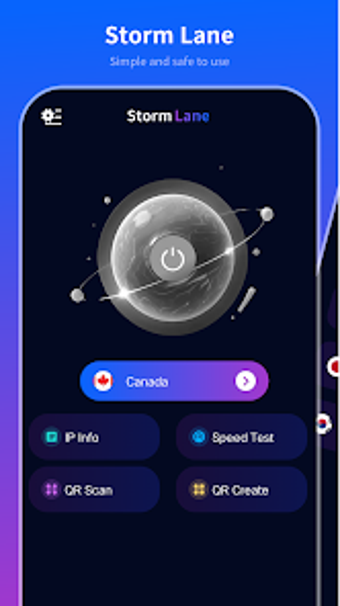
Simple one-tap VPN for protecting Android traffic on public networks
Connect through an encrypted VPN tunnel that protects Android traffic on public networks and mobile data. Storm Lane, from Easy Mart .Ltd, is an Android utilities tool that uses Android's VpnService to encrypt traffic, offers one-tap connection and a visible connection status, and lists multiple server locations. It targets Android users who want immediate privacy without configuration, especially people who use cafés, airports, or other open Wi-Fi spots.
What the app actually does for your connection
Storm Lane establishes an encrypted tunnel using Android's VpnService and presents server location options, so traffic leaves the device through the app's chosen endpoint. The app's design focuses on a single-tap connection and a real-time status display, which shows when traffic is routed through the tunnel. That combination makes the tool act as a straightforward network gatekeeper rather than a manual router or proxy manager.
Does it affect system resources or network speed during use?
Using encryption and a remote server introduces the normal overhead associated with VPNs, and the source material notes users may see reduced connection speed or increased latency. The app's lightweight design is claimed to keep resource use low for daily operation, which suggests CPU and memory footprint are targeted for minimal background impact while the tunnel is active.
Is it safe to use on public and untrusted networks?
The app runs via Android's VpnService to encrypt network traffic, and it provides visible connection state so you know if traffic is protected. No-login access removes an account setup step, which reduces data you must give the developer, while the encrypted tunnel addresses sniffing risks on open Wi-Fi networks. The tool does not mention an explicit restore or rollback because it does not modify system files.
How approachable is it for non-technical users?
Storm Lane centers on extreme simplicity with a one-click philosophy and clear status indicators, which reduces the need for technical configuration. Server selection remains available for users who want to change endpoints, but the primary workflow requires no registration and no advanced settings. Casual users can secure a session with a single tap; power users may find fewer granular controls than complex client apps.
Practical recommendation and a single trade-off
Storm Lane suits Android users who want immediate privacy on public Wi-Fi, offering encrypted tunneling, one-tap connection, and visible status without account setup. The main trade-off is the expected speed and latency impact from encryption and server routing. For those who prioritise quick, low-effort protection during mobile browsing, the app provides a usable balance of safety and accessibility despite that network overhead.